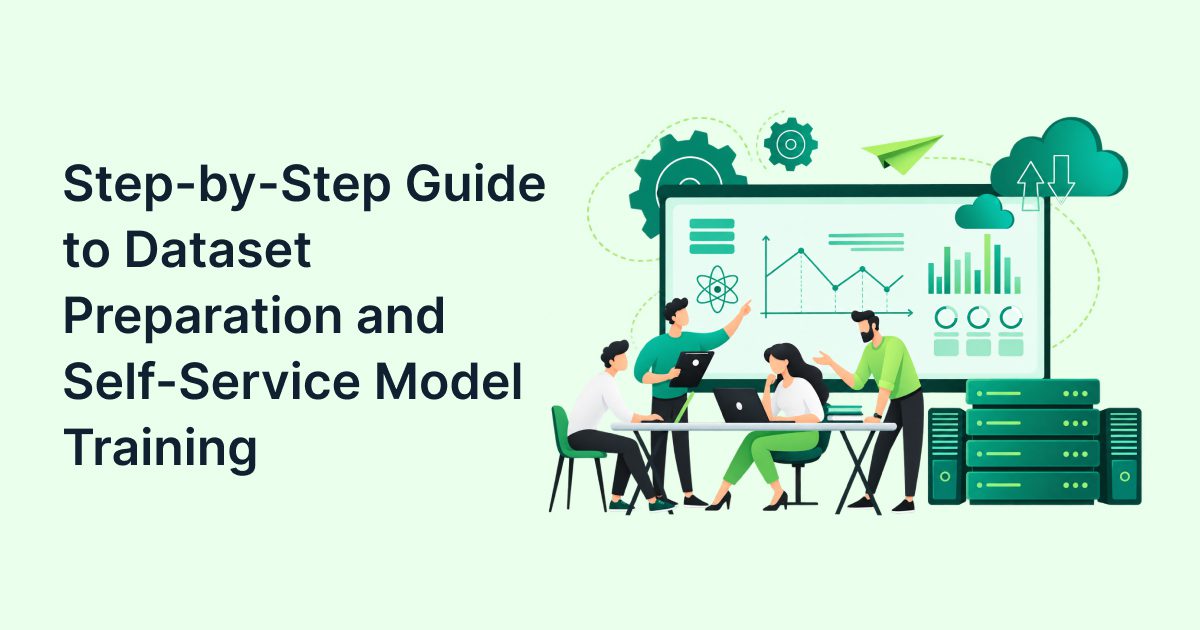
Risk analysts can prepare datasets and train credit scoring models without writing code by following a structured five-step process: validate CSV format, configure the target column correctly, clean data dependencies, upload with unique model names & train using no-code platforms. This eliminates reliance on data science teams and prevents common training errors caused by poor dataset formatting.
Why Risk Analysts Should Own Model Training (Not Wait on Data Science)
Here’s an uncomfortable truth: most credit risk teams waste weeks waiting for data science bandwidth to train models that analysts could build themselves.
The assumption that only data scientists can train credit scoring models is outdated. Modern no-code platforms have changed the game. Risk analysts understand the business context, the risk drivers & the regulatory requirements better than anyone. They should own the model training process.
The cost of inaction is real. When analysts can prepare datasets and train models independently, three things happen –
- Training cycles shrink from weeks to days
- Iteration becomes possible (test new features, refine targets, retrain quickly)
- Ownership shifts to the people who understand credit risk best
This isn’t about replacing data scientists. It’s about freeing them to work on complex problems while analysts handle routine scorecard updates and segment-specific models.
What Is a Credit Scorecard Engine and Why Does Dataset Quality Matter?
A credit scorecard engine is a system that takes applicant data (income, credit history, employment details) and converts it into a risk score that predicts the likelihood of default. Think of it as an automated underwriting assistant that applies consistent rules across every application.
The quality of your scorecard depends entirely on the quality of your training dataset. Garbage in, garbage out isn’t just a saying; it’s the reality of machine learning. If your CSV has formatting errors, missing target values, or data leakage, your model will fail regardless of how sophisticated the algorithm is.
Fintly’s machine learning scoring platform is built on this principle: make dataset preparation and model training accessible to risk analysts without requiring coding skills. The platform validates CSV uploads, detects target columns automatically, and prevents common errors before training begins.
RBI has emphasized the need for robust, auditable and appropriately governed credit models. Its published material has also highlighted the importance of extensive, accurate, and diverse data and attention to potential bias and discrimination in algorithmic underwriting.

Step 1: How Do You Validate Your CSV Dataset Structure?
Before you even think about training a model, you need to ensure your CSV file meets basic structural requirements. This is where most training errors originate.
CSV Validation Checklist –
- File format: Use a supported training format such as .xlsx or tab-delimited .csv, and follow Fintly’s current dataset requirements for headers, data types and target-column configuration.
- Encoding: Save as UTF-8 to avoid special character issues (common with Indian names and addresses)
- Column limit: Keep to 50-200 features maximum for initial training (too many columns slow down training and increase overfitting risk)
- Row limit: Use enough historical observations and observed bads to support stable model development and validation. The required sample depends on the product, event rate, number of variables, and intended segmentation.
- No merged cells, no formulas, no pivot tables; raw data only
Common mistakes we see –
- Using Excel files with hidden formulas that break CSV conversion
- Including special characters in column headers (spaces, brackets, symbols)
- Mixing data types in the same column (numbers and text in income field)
- Leaving the first-row blank or including multiple header rows
Take 15 minutes to validate your CSV structure before uploading. It saves hours of debugging later.
Step 2: Which Column Should Be Your Target and How Do You Configure It?
The target column is the outcome you’re trying to predict. In credit scoring, this is typically a binary flag indicating whether an applicant defaulted (1) or repaid successfully (0).
Getting this wrong is the single most common cause of model failure.
Target Column Best Practices –
- Binary targets work best for most use cases: 1 = default/bad, 0 = repaid/good
- Define “default” clearly: 90+ days past due, charge-off, or restructuring
- Ensure the target is based on historical outcomes, not current status
- Remove any rows where the target is unknown or missing
For example, if you’re building a scorecard for personal loans, your target column might be named “default_flag_90dpd” where –
- 1 = borrower was 90+ days past due within 12 months of disbursement
- 0 = borrower repaid on time or was less than 90 days past due
A critical consideration here is fairness and bias in your target definition. If your target column reflects historical lending biases (e.g., systematically denying certain demographics), your model will perpetuate those biases. For deeper guidance on this, read our post on ensuring fairness and compliance in ML-based credit scoring.
Some platforms allow multi-class targets (e.g., low/medium/high risk) but start with binary classification unless you have a specific need for granularity.
Step 3: How Do You Clean Dependencies and Remove Data Leakage?
Data leakage happens when your model is trained on information that wouldn’t be available at the time of prediction. This creates artificially high accuracy during training but fails catastrophically in production.
Here’s a practical example: including “loan_status” (approved/rejected) as a feature when predicting approval. The model will achieve 100% accuracy because it’s literally using the answer as an input.
Safe Features vs. Leakage Risk Features in Credit Scoring Datasets
| Feature Type | Example | Why It’s Safe / Why It’s Risky |
| Applicant income | monthly_income | Safe: Known at application time |
| Debt-to-income ratio | dti_ratio | Safe: Calculated from pre-approval data |
| Credit bureau score | cibil_score | Safe: Available during underwriting |
| Employment tenure | years_at_current_job | Safe: Self-reported at application |
| Post-disbursal payment history | emi_paid_on_time_6m | Risky: Only known after loan is issued |
| Loan approval status | application_approved | Risky: This is what you’re predicting |
| Days past due (current) | current_dpd | Risky: Only exists for existing customers |
| Restructuring flag | loan_restructured | Risky: Post-disbursal event |
To prevent leakage –
- Audit every feature: “Would I know this value before making the lending decision?”
- Remove post-disbursal data from application scorecards
- Be careful with derived features that include future-dated information
- Use domain knowledge (you’re the risk expert, trust your judgment)
Step 4: What’s the Right Way to Upload and Name Your Model?
Duplicate model names create chaos in production environments. Imagine deploying a scorecard only to realize you’ve overwritten last quarter’s model, or you can’t tell which version is live.
Model Naming Conventions That Work –
- Include product type: Personal Loan, SME_Overdraft, Credit Card
- Add version number: v1, v2, v3
- Include quarter/year: 2026Q3, Sep2026
- Example: Persona’lLoan_Scorecard_v2_2026Q3
Avoid generic names like “CreditModel_Final” or “New Scorecard”. Six months from now, you won’t remember what “final” means.
Contrary View: When Manual Data Science Involvement Still Makes Sense
No-code workflows can support many routine model-development and iteration tasks, but suitability depends on the product, data, model complexity, and governance requirements. But there are scenarios where you should still involve data scientists –
- Complex alternative data integration (cash flow analysis, bank statement parsing, GST data)
- Regulatory model submissions requiring statistical documentation and validation
- Novel product launches with no historical data (you need custom feature engineering)
- Multi-objective optimization (balancing risk, profitability, and customer lifetime value simultaneously)
The goal isn’t to eliminate data scientists; it’s to let them focus on high-value work while analysts handle routine scorecard maintenance and segment-specific models.
Step 5: How Do You Train and Validate Without Writing Code?
Once your dataset is validated and uploaded, the training process in a no-code platform typically follows these steps –
- Select target column: Confirm the platform has correctly identified your target (e.g., default_flag_90dpd)
- Choose features: Select which columns to include (exclude IDs, names, and leakage-risk features)
- Set train-test split: Standard is 70% training, 30% testing (or 80/20 for larger datasets)
- Start training: The platform automatically selects the best algorithm (logistic regression, XGBoost, etc.)
- Review performance metrics: Check AUC, Gini coefficient, and KS statistic
Understanding Performance Metrics –
- ROC-AUC: Measures how well the model ranks higher-risk observations above lower-risk observations. An AUC of 0.5 represents random ranking; 1.0 represents perfect discrimination.
- Gini Coefficient: Related to AUC (Gini = 2 × AUC – 1). Higher is better. 0.40-0.60 is typical for credit models.
- KS Statistic (Kolmogorov-Smirnov): Measures separation between good and bad borrowers. 30-50 is acceptable; 50+ is strong.
For a deeper dive into how these metrics translate into actual scorecards, see our post on beginner’s guide to credit scorecard engines in banking.
The platform will also generate a confusion matrix showing –
- True positives (correctly predicted defaults)
- True negatives (correctly predicted repayments)
- False positives (predicted default but repaid)
- False negatives (predicted repayment but defaulted)
Review these carefully. A model can have strong ranking performance while producing an unsuitable approval/rejection trade-off at a particular decision threshold. Review threshold-level metrics such as approval rate, bad rate, false-negative/false-positive trade-offs, and expected loss before deployment.
Illustrative Workflow: What a Self-Service Model Training Process Could Look Like
Note: The following example is hypothetical and uses illustrative timings; it is not a reported Fintly customer result.
A mid-sized NBFC in Pune (we’ll call them “FinGrow”) was struggling with model development delays. Their process looked like this –
Before (Traditional DS-Dependent Workflow) –
- Risk team prepares dataset in Excel (3-4 days)
- Submit request to data science team (queue time: 1-2 weeks)
- DS team cleans data, handles formatting issues (2-3 days)
- Model training and validation (2-3 days)
- Back-and-forth iterations for feature adjustments (1 week)
- Total time: 3-4 weeks per model
After (Self-Service with No-Code Platform) –
- Risk analyst prepares CSV using validation checklist (1 day)
- Upload to platform, configure target column (30 minutes)
- Train model, review metrics, iterate features (2-3 hours)
- Deploy to staging for business validation (same day)
- Total time: 2 days per model
Key Outcomes –
- Model iteration increased from once per quarter to twice per month
- Analysts could test new features (e.g., alternative credit data) without waiting
- Data science team shifted focus to fraud detection and cash flow modeling
- Time-to-market for new product segments dropped from 6 weeks to 10 days
Common Training Errors and How to Prevent Them
Even with a no-code platform, mistakes happen. Here are the most common training errors and how to fix them –
- CSV encoding errors: File won’t upload or columns are misaligned. Fix: Save as UTF-8 CSV, not Excel.
- Target column has missing values: Model training fails or produces errors. Fix: Remove rows with unknown outcomes or impute based on business rules.
- Duplicate model names: Can’t tell which version is live in production. Fix: Use naming convention with version and date (e.g., v2_2026Q3).
- Data leakage from post-disbursal features: High training accuracy but poor production performance. Fix: Audit every feature for temporal validity.
- Overfitting from too many features: Model memorizes training data but fails on new applications. Fix: Start with 20-30 strong features, add more only if they improve test-set performance.
- Imbalanced target distribution: 95% repaid, 5% defaulted. The model predicts “repaid” for everyone and achieves 95% accuracy. Fix: Use stratified sampling or adjust class weights on the platform.
- Categorical variables with too many levels: City name with 500+ unique values. Fix: Group into tiers (metro, tier-1, tier-2, tier-3) or use frequency encoding.
Most of these errors are preventable with proper dataset preparation. The 15 minutes you spend validating your CSV saves hours of debugging.
What Happens If You Skip Proper Dataset Preparation?
This isn’t theoretical. Poor dataset preparation leads to real business and regulatory consequences.
The Cost of Inaction –
- Bad lending decisions: Models trained on leaked data approve risky borrowers, increasing NPAs
- Regulatory scrutiny: RBI audits focus on model governance and data quality; poor documentation triggers findings
- Wasted resources: Data science teams spend time fixing formatting errors instead of building new capabilities
- Lost opportunities: Slow model iteration means you can’t respond to market changes or new customer segments
If your model fails in production, the first question regulators will ask is: “Show us your training dataset and validation process.” If you can’t demonstrate proper dataset preparation, you’re exposed.
Conclusion
Dataset preparation and self-service model training aren’t optional skills for modern risk analysts; they’re essential. By following a structured five-step process, you can train credit scoring models independently, eliminate data science bottlenecks, and reduce time-to-market from weeks to days.
If you’re ready to explore how Fintly can help your team train models independently, contact Fintly to speak with our credit risk automation specialists.
Key takeaways
- Validate your CSV structure before uploading (encoding, format, column limits)
- Configure the target column correctly and audit for data leakage
- Use consistent model naming to prevent production confusion
- No-code platforms make this accessible, but domain expertise (yours) is irreplaceable
 QUICK ANSWERS
Frequently Asked Questions
Your most common questions, answered with precision and insight
A credit scorecard engine is a system that converts applicant data into a risk score predicting the likelihood of default. It takes inputs like income, credit history, and employment details, applies statistical rules learned from historical data, and outputs a score that helps lenders decide whether to approve or reject an application.
Yes, risk analysts can train credit models without coding skills using no-code machine learning platforms. These platforms handle the technical complexity (algorithm selection, hyperparameter tuning, cross-validation) while analysts focus on dataset preparation, feature selection, and business validation.
Your CSV should be comma-separated values (.csv) or tab-delimited (.txt) format, saved with UTF-8 encoding. Avoid Excel files with merged cells, formulas, or pivot tables. Keep column headers simple (no spaces or special characters) and ensure each row represents a single historical application with a known outcome.
The target column is the outcome you’re trying to predict, typically a binary flag (1 = default, 0 = repaid). Look for columns named default_flag, bad_indicator, dpd_90_plus, or similar. The target should be based on historical outcomes (e.g., was the borrower 90+ days past due within 12 months?), not current status.
Training errors in credit scoring models are mostly caused by poor CSV formatting, missing target values, data leakage (using post-disbursal information), duplicate model names, and imbalanced target distributions. These issues are preventable with proper dataset validation before uploading to the training platform.
With a properly prepared dataset, training a credit scoring model using no-code tools typically takes 30 minutes to 2 hours, including upload, configuration, training, and initial validation. The time savings compared to traditional data science-dependent workflows (3-4 weeks) are substantial.
No-code model training works well for 80-90% of credit scoring use cases, including personal loans, SME lending, and credit cards. However, complex scenarios involving alternative data integration, regulatory model submissions, or novel products with no historical data may still require data science involvement for custom feature engineering.
If you use the wrong target column, your model will learn to predict the wrong outcome, leading to poor performance in production. For example, using current loan status instead of historical default will cause the model to fail on new applications. Always validate that your target column reflects the outcome you actually want to predict.

Author
Subject Matter Expert (Lending) Fintly.co
Vijay Mali is a results-driven professional with deep expertise in HFC/NBFC startups, compliance, and underwriting. He specializes in delivering end-to-end solutions for financial institutions, focusing on Business Rule Engines (BRE), workflow automation, and AI-driven credit decision-making. He is passionate about leveraging Machine Learning (ML) scorecards and AI-powered risk assessment to optimize lending processes and drive digital transformation in the financial sector.